A live artifact is a dashboard Claude builds once and then keeps current — it re-asks your connectors for fresh numbers every time you open it. Ask for one instead of a report, and you stop re-running the report.
Four things happen between you opening an artifact and seeing a current number.
Opening it is the trigger. There's no schedule to set and nothing to configure — looking at it is what starts the refresh.
A short cache of recent data draws the dashboard right away, so you're never watching a spinner.
Behind that, it goes back to the connectors you named, pulls current numbers, and updates the screen.
A refresh button in the artifact's header re-pulls immediately, skipping the cache — for when something just changed.
Live data is only half of it. The dashboards that get used follow the same few rules, and Claude will apply all of them if you ask:
Lead with the single figure the dashboard exists to answer. Everything else is supporting detail.
A wall of tiles reads as noise. If it needs more, it's two dashboards.
Red should mean “act on this.” If everything is coloured, nothing is.
Show when the data was last pulled. It's what turns a number into a number people trust.
Say “Melinda Maria brand colours” and “readable on a phone” — both are one-word wins.
Live artifacts save themselves. You'll find them under Artifacts in the Claude desktop app — set Filter by Cowork to see just the live ones and hide the one-off artifacts that come out of ordinary chats. They keep a version history, so a bad change can be rolled back.
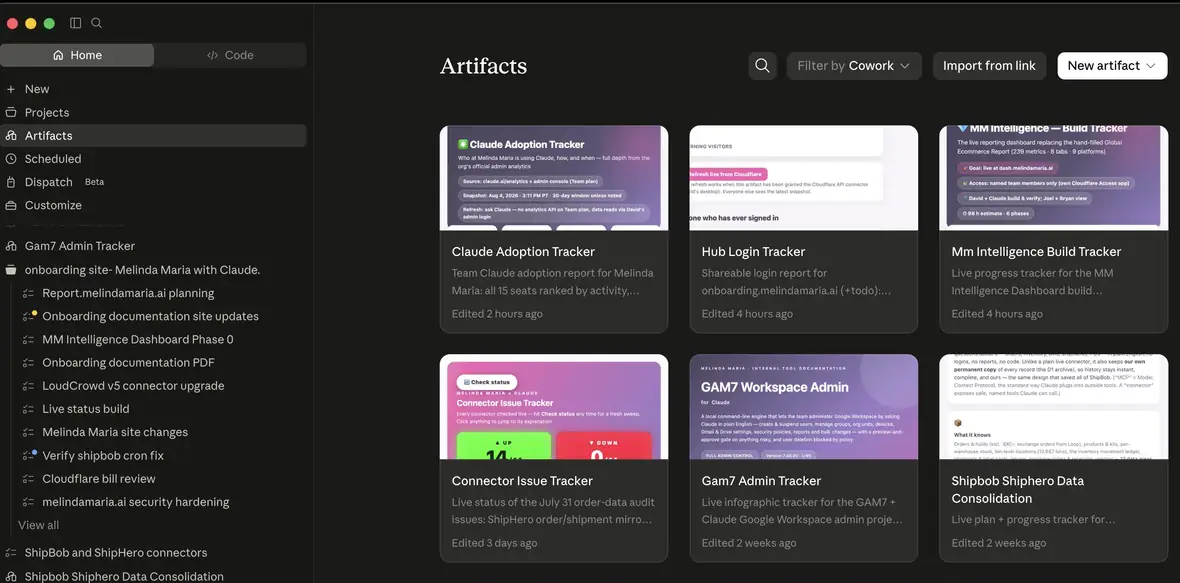
In a Cowork task, describe what you want and name the connectors it should use — Claude builds it and saves it automatically. Or from the Artifacts view, click New artifact and choose the Cowork option, then answer the setup questions.
A good ask names the source, the slice, and the refresh
Artifacts are saved to your account, so nobody else can see one until you share it. On our Team plan that's three clicks.
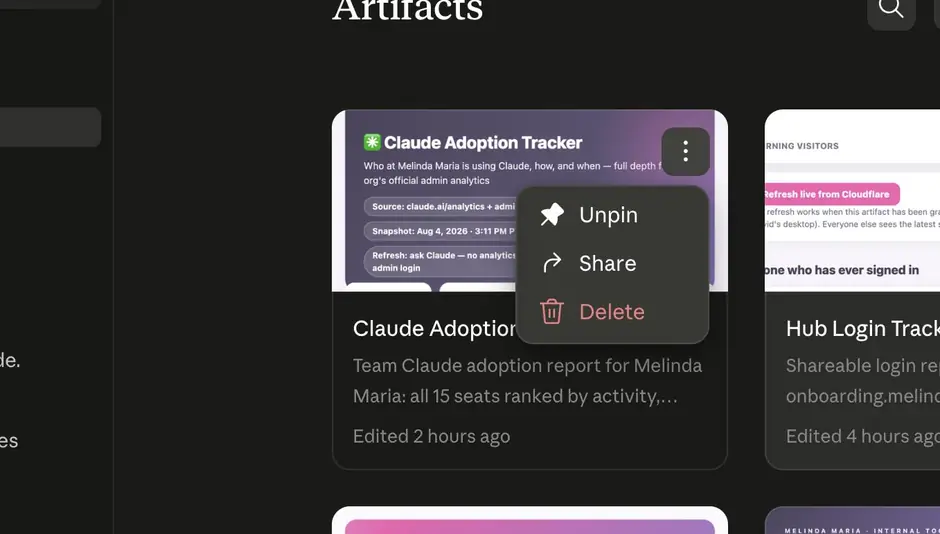
Hover the card in your Artifacts view and click the three dots in its corner. You'll get Unpin, Share, and Delete. Choose Share.
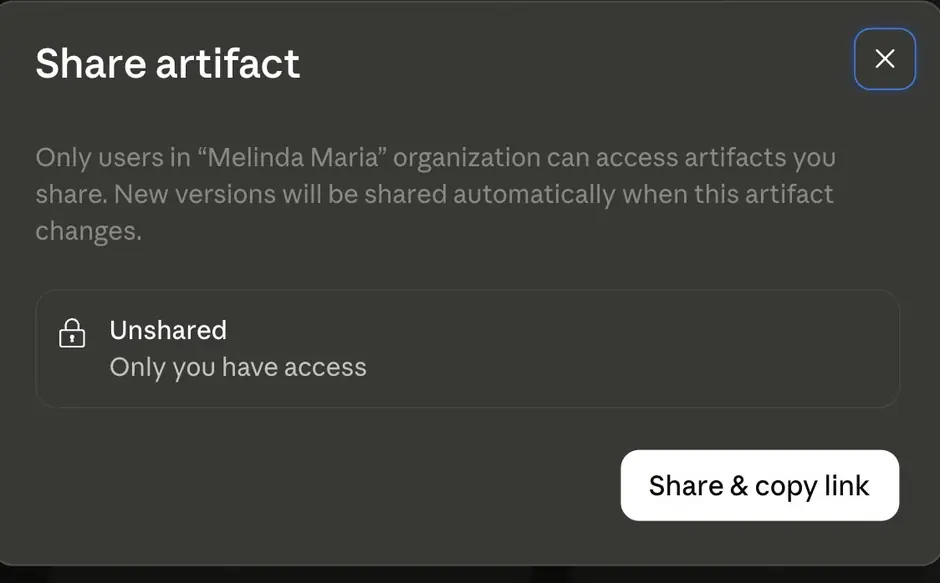
Claude confirms who will be able to see it — only people in the Melinda Maria organization. Until you click, it says “Unshared · Only you have access.”
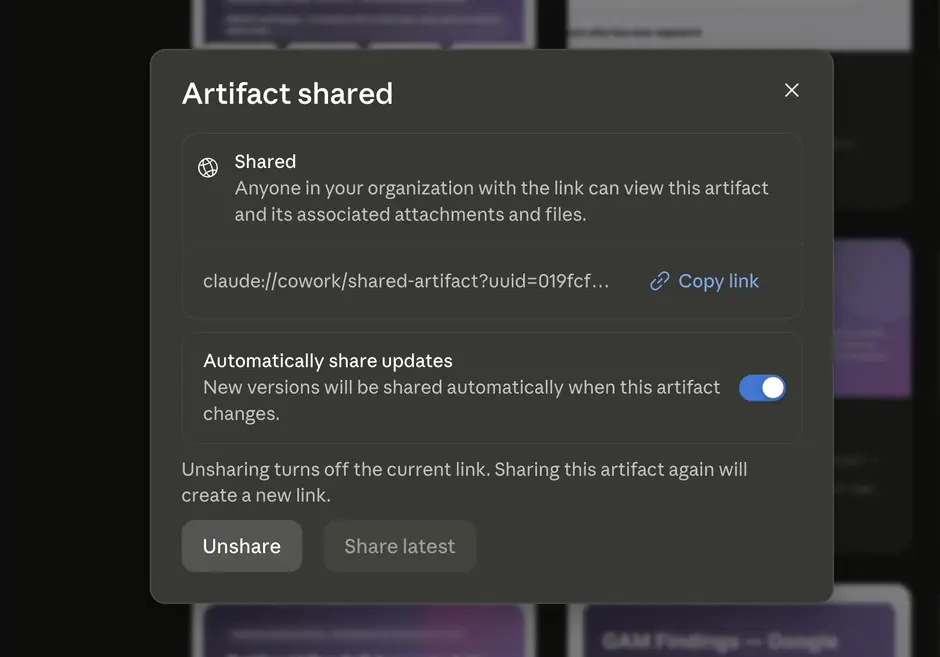
You get a claude:// link that opens straight into the desktop app. Paste it into Slack or email. Automatically share updates is on by default, which means every future version reaches them without you re-sending anything.
Best when they need the current number, not a picture of it. They get a self-updating copy that respects their own access, and future versions arrive automatically.
Inside Melinda MariaAsk Claude to export it as a PDF, image, or spreadsheet and post that instead. Frozen in time, but it opens anywhere and needs no Claude account.
For anyone outside the companyIf the whole company needs one always-on number, it shouldn't depend on one person's account staying shared. That's a build request for the shared reporting dashboard.
For company-wide numbersThe honest spec, so you know what to ask for before you ask.
| What | The rule | |
|---|---|---|
| Live data from our tools | Pulls from the connectors you name — ApparelMagic, ShipHero, Shopify, Klaviyo, Loop and the rest — plus files on your computer. | Yes |
| Several tools at once | One artifact can combine multiple connectors, so wholesale money and warehouse status can sit side by side. | Yes |
| Interactive, not just pictures | Charts, tables, filters, tabs, buttons, checklists — anything one web page can do. | Yes |
| Remembering your changes | Ticked checkboxes and saved state persist between visits. | Yes |
| Version history | Every edit keeps a version you can roll back to. | Yes |
| Auto-updating for others | Once shared, new versions reach your colleagues automatically — no re-sending. | Yes |
| Where it runs | Claude desktop app only. Not claude.ai in a browser, not the phone app. | Desktop |
| Who can open it | People inside the Melinda Maria organization, signed in with their work account. | Internal |
| Public links | A live artifact can never be published to the open web or sent to someone outside the company. | No |
| Size | 20 MB of stored data per artifact, and that storage is text only — no images or files held inside it. | Limit |
| Changing our data | Our custom connectors are read-only, with two deliberate exceptions — Loop Returns (preview-and-confirm CX write tools) and Canto (DAM organization tools, delete included) — and artifacts never use either. Stock connectors that can act (Gmail, Klaviyo, Slack…) are confirm-gated and also unused by artifacts. An artifact can show you the business; it cannot edit an order, send an email, or delete a thing. | No |
A live artifact lives inside Claude. Sometimes you need something that lives on the open web, remembers things for everyone, or teaches Claude to read a system it has never seen. Same conversation, bigger output — you describe what you want and Claude writes and deploys the software. Here is the ladder, and every rung below has already been climbed at Melinda Maria.
Where everyone starts. Lives in Claude, refreshes on open, shared inside the company with a link. No hosting, no address, nothing to maintain.
Ours: the Connector Issue Tracker and the Claude Adoption Tracker — both pictured earlier on this page.
“Create a live artifact: …”
Claude writes a real website or tool and deploys it to Cloudflare Pages. It gets a melindamaria.ai address and sits behind Cloudflare Access, so only Melinda Maria staff can open it — and they don't need a Claude account to do it. This is how you reach people who will never open Claude.
Ours: onboarding.melindamaria.ai — the site you're reading right now — and todo.melindamaria.ai, the AI roadmap board.
Cloudflare PagesCloudflare Access“Build this as a standalone site and deploy it to Cloudflare Pages, behind Access so only our team can see it.”
Add a database — Cloudflare D1 or Supabase — and the app stops being a snapshot. It stores records, keeps history, and several people can write to the same data and all see the same thing. This is also how we keep data that would otherwise disappear.
Ours: when we left ShipBob, the 225,385 historical orders were copied into a D1 archive — still searchable today, long after we stopped paying for the platform. The ApparelMagic connector keeps a similar history copy so trend questions come back in seconds instead of hammering the ERP.
Cloudflare D1SupabaseWorkers KV“Give it a database so entries are saved permanently and everyone sees the same list.”
The biggest one. A connector is a small program — a Cloudflare Worker — that exposes another system's data to Claude as named, read-only tools. It is the thing that turns “Claude can't see our ERP” into “ask ApparelMagic anything.” Every custom connector documented on this site was built this way, in conversation.
Ours: a dozen of them running at addresses like apparelmagic-mcp.melindamaria.ai and canto-mcp.melindamaria.ai — each one Google-sign-in gated, read-only, and hosted on our own Cloudflare account.
Cloudflare WorkersOAuth 2.1GitHub“Build a read-only connector for [system], hosted on our Cloudflare account, gated to our Google work accounts.”

